React Web Component - desktop version
When Volume React web component is rendered in a desktop mode it looks and behaves differently.
It allows and encourages the users to navigate to their mobile device, where their banking application allow them to seamlessly and safely perform the payment.
UI
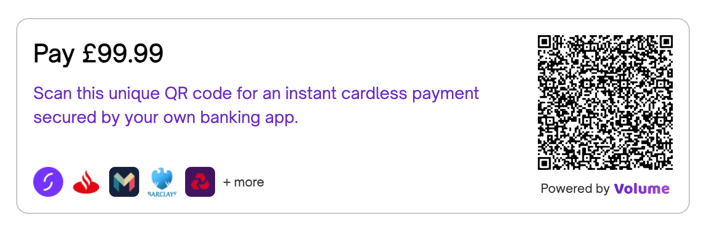
Desktop version of the Volume Component contains a QR code which contains a URL that can be opened by the user by scanning the code.
Payment flow
In this scenario the payment flow contains of two lanes - one for the destkop UI and another for the mobile UI opened by scanning the QR code.
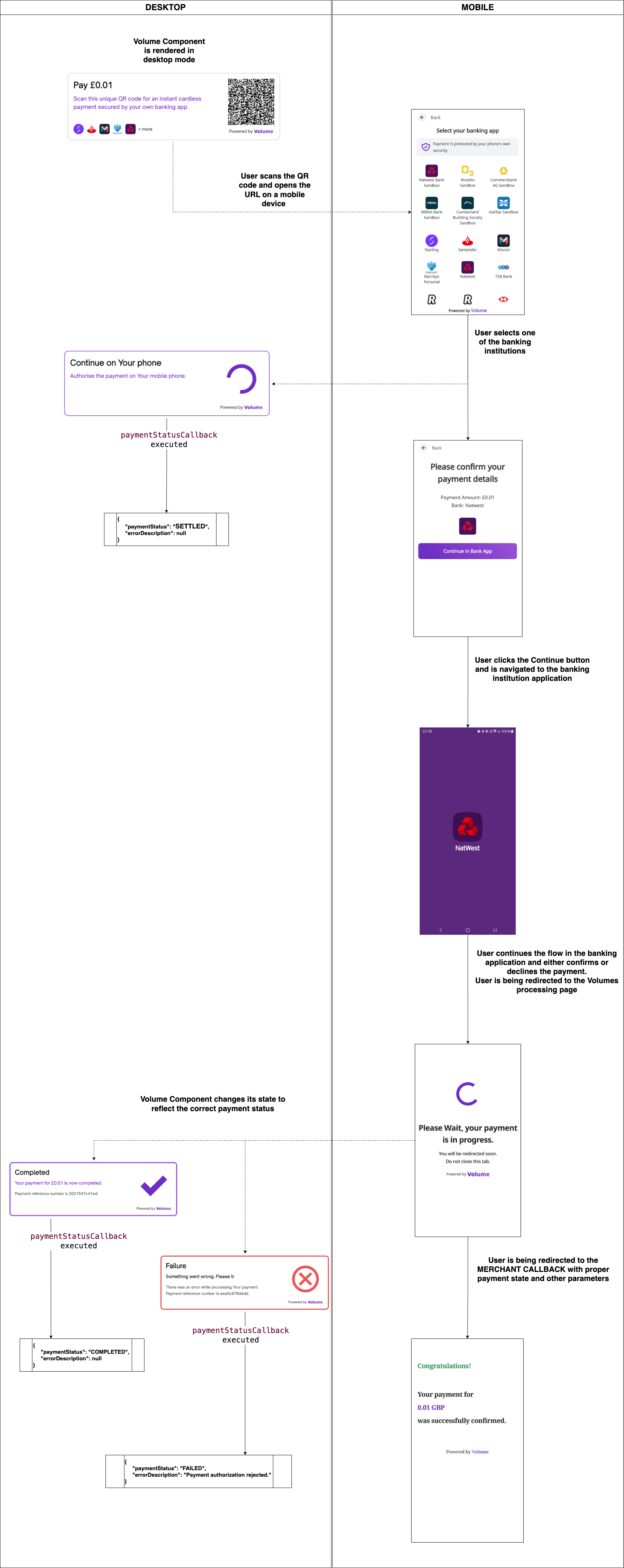
Merchant Callback redirection happens ONLY on the mobile device, on which the user performs the payment.
Payment status callback
A callback function called each time a payment status has changed.
This callback can be used as a UI notification mechanism.
For more details, please see Payment status callback
    <Volume
      ...
      paymentStatusCallback={
          (paymentStatus: PaymentStatusResponse) => {
              console.log("I've got a new status: " + JSON.stringify(paymentStatus));
          }
      }
      ...
    />
}
Volume event callback
This callback function is triggered each time an internal Volume event occurs.
In the desktop mode of the component these events are emitted:
- PaymentIdGenerated - as soon as the payment id is generated
- PaymentInitiatedQR - the payer has picked a bank on their phone
- PaymentCompletedQR - the payment is completed
- PaymentFailedQR - the payment failed
The QR code events come from payment status polling (every 4 seconds), so they are not emitted when disablePaymentStatusPooling is set, or for country="DE".
If the payment completes or fails between two polls, PAYMENT_INITIATED_QR is not emitted. Do not rely on it to come before PAYMENT_COMPLETED_QR or PAYMENT_FAILED_QR.
For more details, please see Volume event callback